
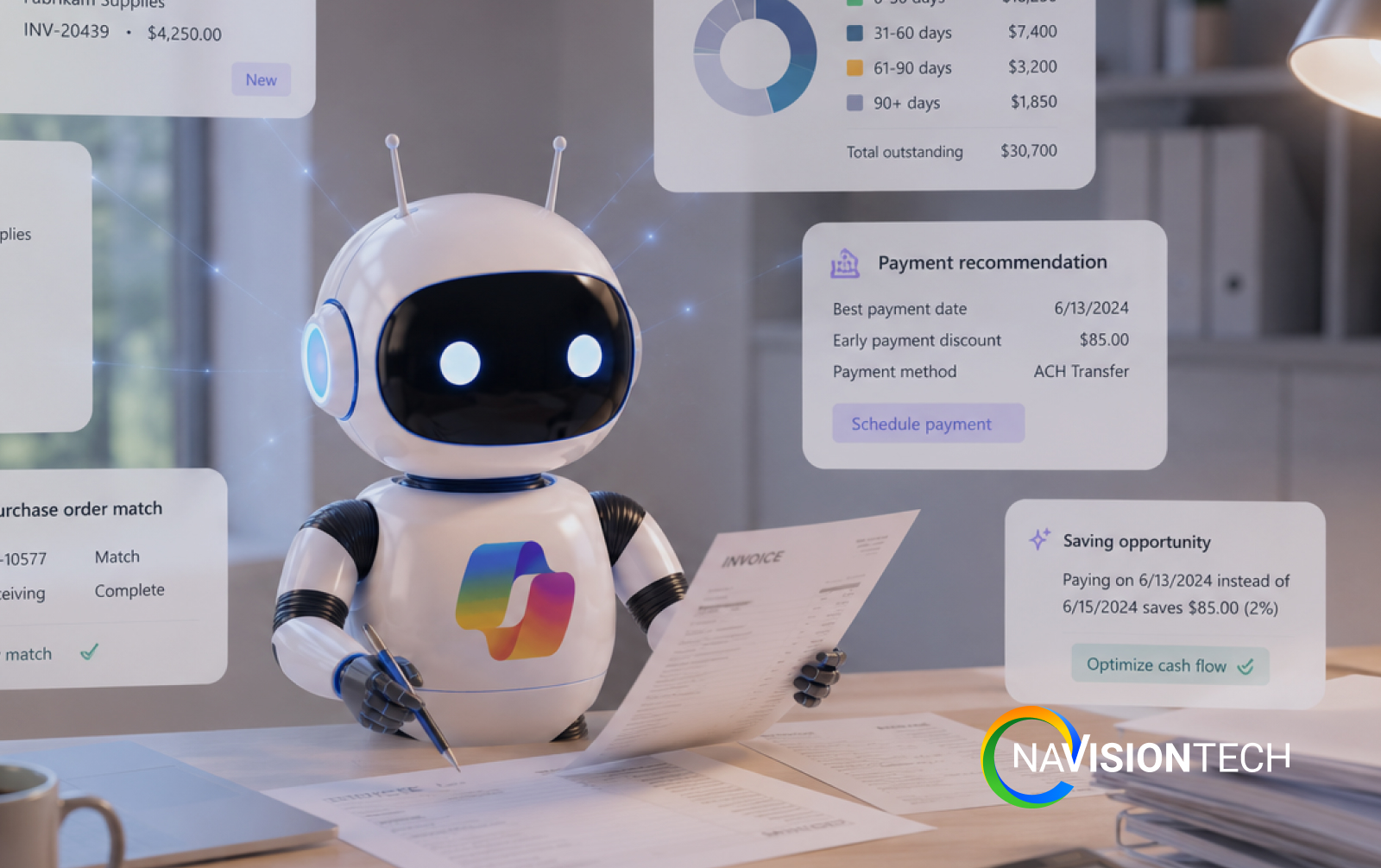
Business Central Payable Agent Explained
Managing accounts payable takes more time than many companies expect. Your team receives invoices by email. Someone downloads each file. Then they enter the data into the ERP system. After that, another person reviews the invoice before payment. This process works, but it is slow. It also creates mistakes that cost money.
That is why many companies are looking at the Business Central Payable Agent. It uses artificial intelligence to reduce manual work while keeping people in control. If your business wants faster invoice processing, better accuracy, and more productive accounting teams, this new capability is worth understanding.
What is Business Central Payable Agent?
Business Central Payable Agent is an AI powered feature in Microsoft Dynamics 365 Business Central that helps accounting teams process vendor invoices faster.
Instead of entering invoice information by hand, the Payable Agent can:
-
Read vendor invoices
-
Capture important details
-
Create draft purchase invoices
-
Match information with existing records
-
Send the document for human review before posting
The agent prepares the work.
Your accounting team reviews and approves it.
Nothing is posted automatically without approval.
This makes the process both efficient and controlled.
Common Problems Businesses Face
Many finance departments still spend hours each week entering invoices manually.
Common challenges include:
Manual data entry
Employees type invoice details into the ERP system every day. This takes valuable time.
Data entry mistakes
A wrong invoice number or amount can delay payments and create vendor issues.
Slow approval process
Invoices often wait in email inboxes before someone reviews them.
Growing invoice volume
As companies grow, invoice counts increase. Hiring more staff is not always the best solution.
Limited visibility
Managers may not know where an invoice is during the approval process.
High processing costs
Manual work increases labor costs and reduces productivity.
These problems affect manufacturers, distributors, retailers, and many other businesses across the United States.
How Business Central Payable Agent Solves These Problems
The Business Central Payable Agent helps automate repetitive accounts payable tasks while allowing finance teams to stay in control.
Reads invoices automatically
The agent understands invoice documents and extracts important information.
Creates draft purchase invoices
Instead of entering invoices manually, the AI prepares a draft inside Business Central.
Matches vendor information
The system checks vendor records and helps identify the correct supplier.
Supports human approval
Employees review every draft before posting.
This helps maintain financial accuracy.
Reduces repetitive work
Finance teams spend less time typing and more time reviewing exceptions.
Improves consistency
The same process is followed for every invoice.
This helps reduce errors.
Key Benefits of Business Central Payable Agent
Companies can experience several important benefits.
-
Faster invoice processing
-
Less manual data entry
-
Better accounting accuracy
-
Fewer processing errors
-
Faster vendor payments
-
Better employee productivity
-
Improved financial controls
-
Easier approval workflows
-
Better visibility into invoice status
-
More time for strategic financial work
Instead of replacing accountants, the Payable Agent helps them focus on higher value activities.
Real World Example
Imagine a wholesale distributor that receives 400 vendor invoices every week.
Without AI:
-
Employees open every email.
-
They download each invoice.
-
They enter invoice data manually.
-
Managers review every entry.
-
Corrections happen after errors are found.
The process consumes many hours every week. Now imagine the same company using the Business Central Payable Agent. The AI reads incoming invoices. It creates draft purchase invoices.
The accounting team reviews the drafts. They approve the correct invoices. Only unusual situations need additional attention. The finance department spends less time entering data and more time managing the business.
Why This Matters for United States Businesses
Many companies across the United States face increasing labor costs and growing pressure to improve productivity.
Finance departments are expected to process more invoices without adding more employees.
That creates several challenges:
-
Labor shortages
-
Higher operating costs
-
Faster customer expectations
-
More vendor transactions
-
Increased compliance requirements
-
Greater pressure for financial accuracy
A modern ERP system with AI helps businesses meet these challenges.
Companies also want solutions that integrate with Microsoft products they already use.
Because Business Central works with Microsoft 365, Power BI, Teams, and Copilot, finance teams can work inside a familiar environment.
Working with a Business Central partner in the United States also helps companies receive local implementation, training, and ongoing support.
Frequently Asked Questions
What is Business Central Payable Agent?
Business Central Payable Agent is an AI feature that helps create draft purchase invoices from vendor invoices while keeping people in control of approvals.
Does the Payable Agent automatically pay invoices?
No. The agent prepares draft invoices. Users review and approve them before posting.
Can it reduce manual data entry?
Yes. It captures invoice information automatically, which reduces repetitive typing.
Is it useful for small businesses?
Yes. Small and mid-sized businesses can save time while improving accounting accuracy.
Which industries benefit the most?
Wholesale distribution, manufacturing, retail, healthcare, and professional services can all benefit from faster invoice processing.
Does it work with Dynamics 365 Business Central?
Yes. It is designed to work directly within Dynamics 365 Business Central.
How Navisiontech Can Help
Implementing AI is about more than turning on a feature.
Every business has different workflows, approval processes, vendors, and accounting requirements.
Navisiontech helps organizations:
-
Evaluate current accounts payable processes
-
Configure Microsoft Dynamics 365 Business Central
-
Set up AI capabilities
-
Improve approval workflows
-
Train accounting teams
-
Integrate third party solutions
-
Support future ERP growth
Our consultants focus on helping businesses improve processes before adding automation.
That creates better long-term results.
Book Your Free ERP Assessment
If your accounting team spends too much time entering invoices, now is a good time to explore AI.
A free ERP assessment can help you understand:
-
Where manual work exists
-
Which processes can be automated
-
Whether Business Central is the right fit
-
How AI can improve finance operations
-
What an implementation roadmap could look like





Leave A Comment